Prior to use, verify the product arrived in good condition.
Before You Start
- Make sure the weather station is running with the latest firmware - Firmware and Software Repositories
- Wiring can vary from board to board. Make sure to connect it correctly, observing the abbreviations written on the board (PW, DT & GN), according to the color of the wire, as per instructions below.
- ⚠️ For instance, PW and DT slots are swapped on iMETOS 3.3 interface when compared to METOS 5 and µMETOS.
Input:
SDI-12
Wiring diagram:
PW = Vcc (brown)
DT = Data (white)
GN = Ground (yellow-green or black wire)
SH: Shield - not used
| METOS 5 and µMETOS | iMETOS 3.3 Interface |
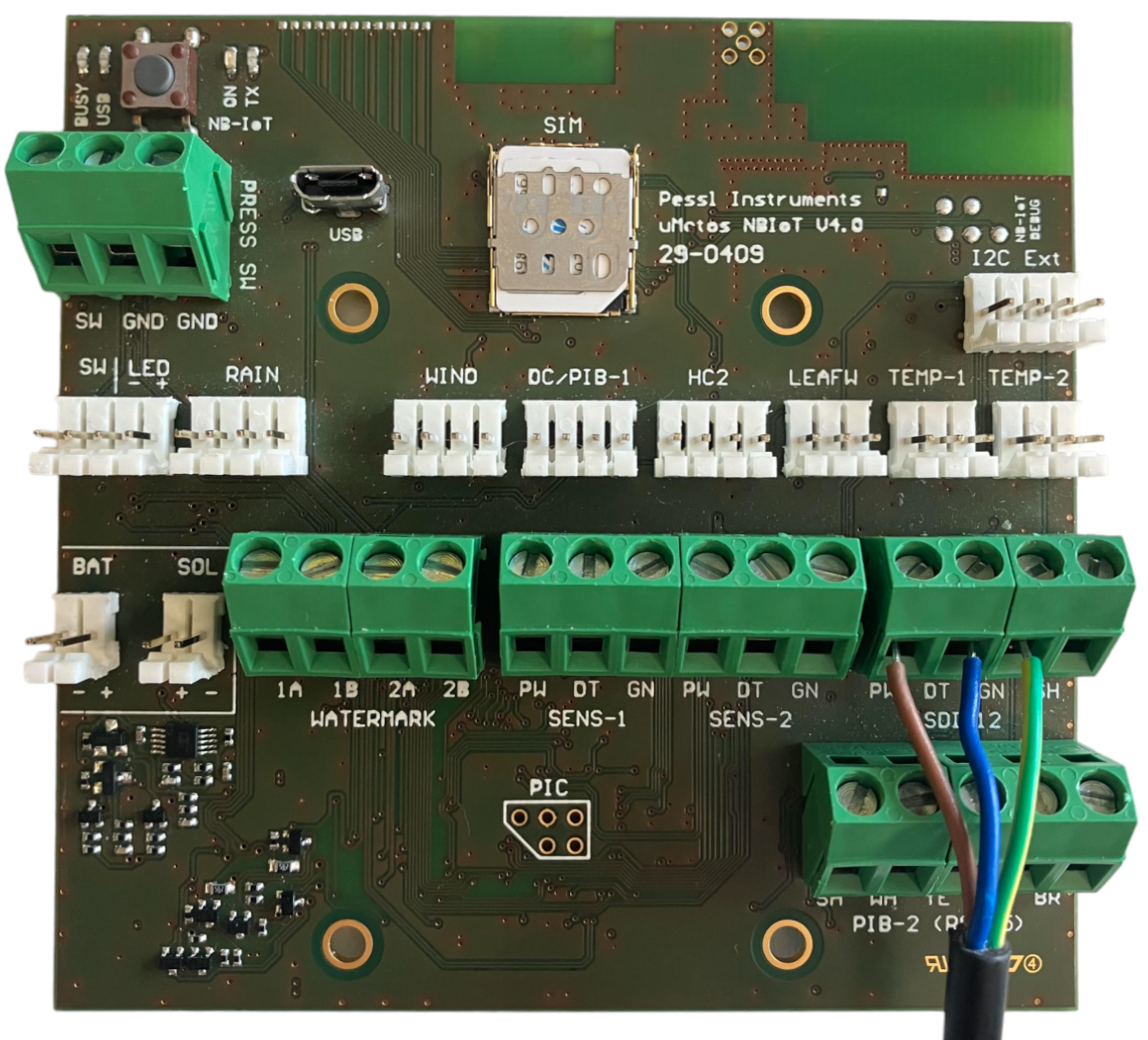 | 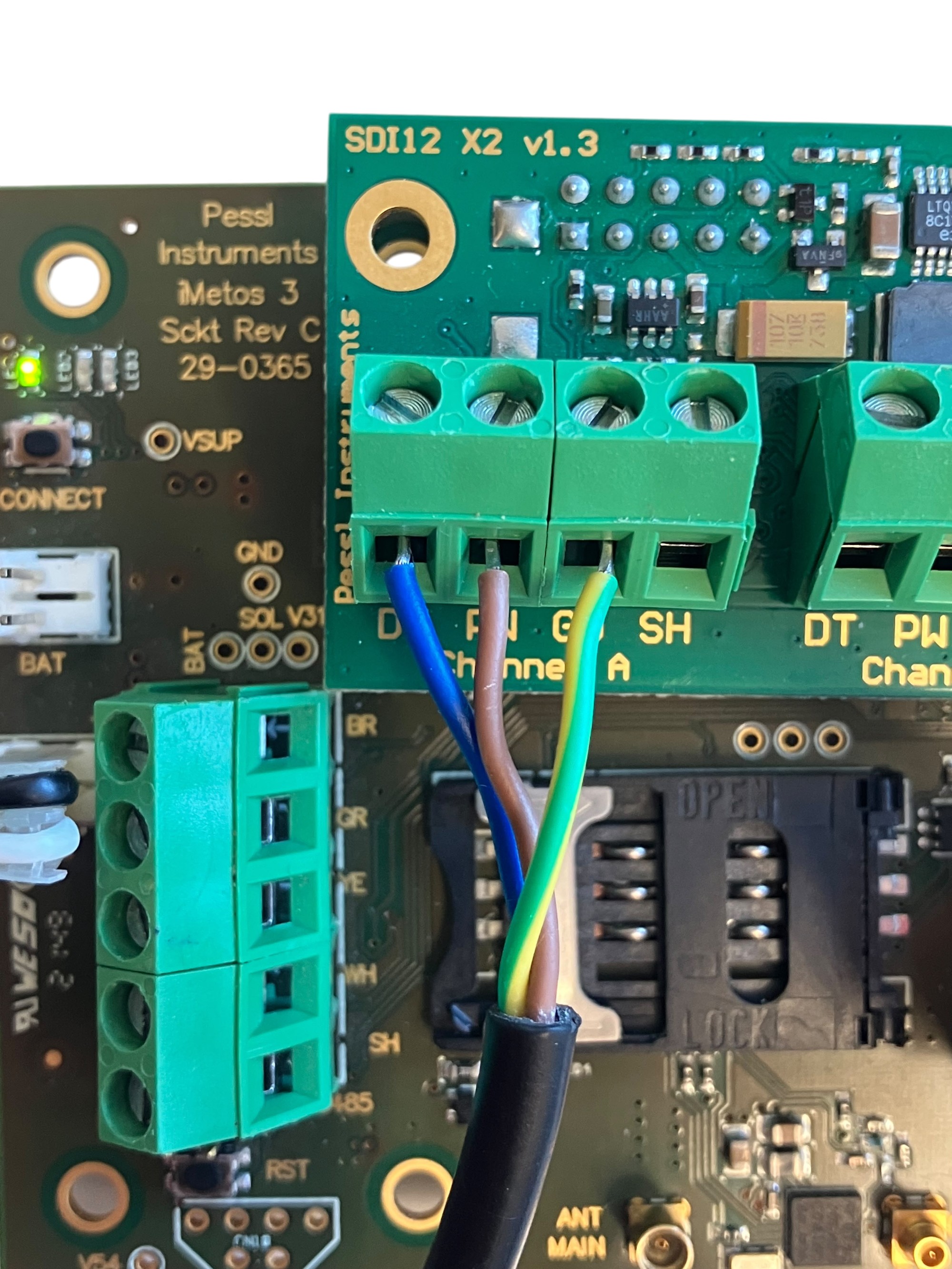 |
Installation
Watch the video by clicking HERE to ensure the correct installation and the quality of the data.
Need Help?
If you encounter issues during this process or have questions about the information described in this page, please SUBMIT A TICKET to the METOS Support Center and include all the required information.
Was this article helpful?
That’s Great!
Thank you for your feedback
Sorry! We couldn't be helpful
Thank you for your feedback
Feedback sent
We appreciate your effort and will try to fix the article